Connecting physical products with digital experiences
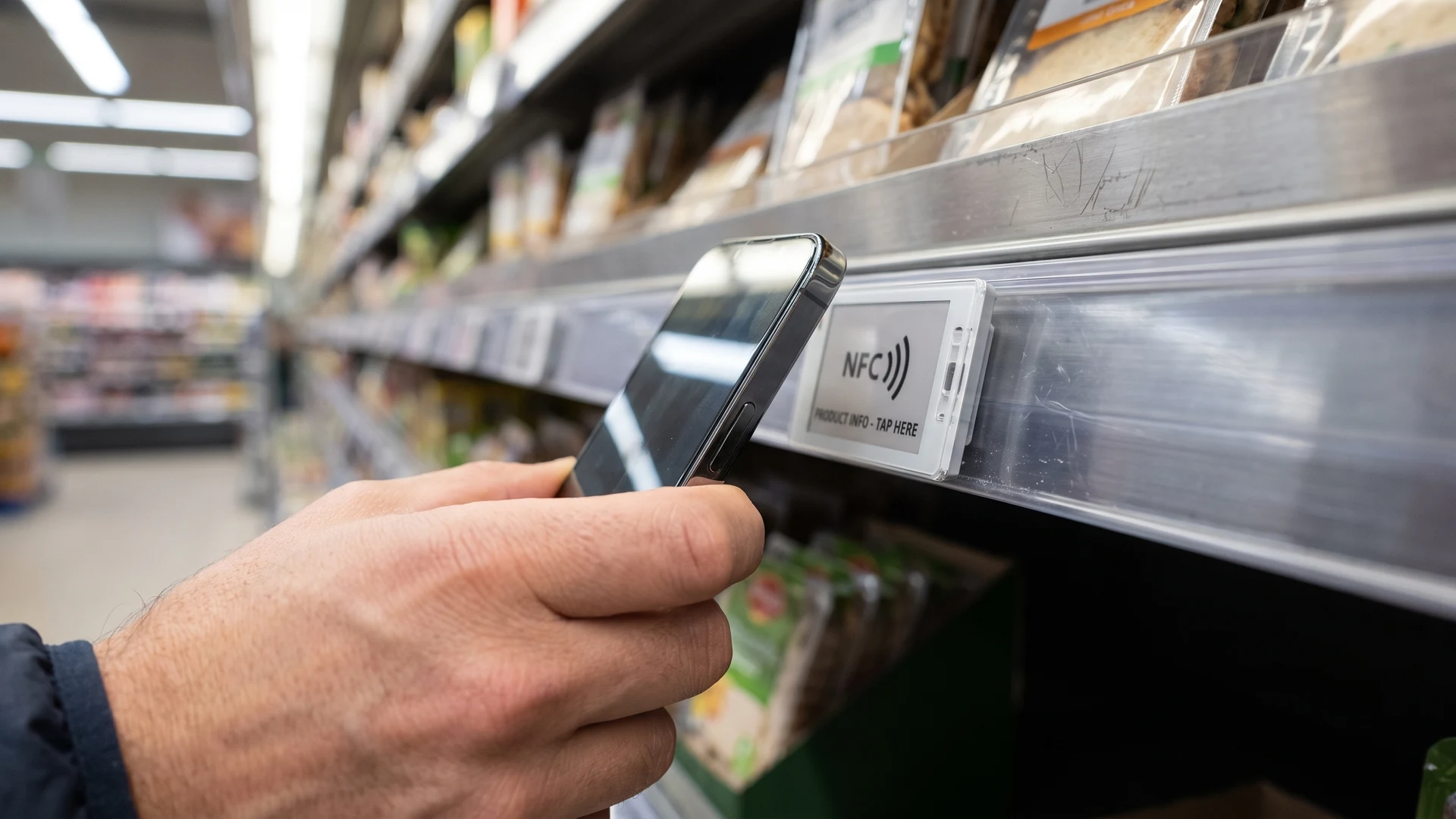
Near Field Communication (NFC) tags provide a direct link between the items on your store shelves and the digital resources your customers carry in their pockets. You can integrate these small chips seamlessly into product packaging or shelf displays to create immediate touchpoints for shoppers. When a customer holds their phone near the chip, the system instantly triggers a specific digital action without requiring them to download a dedicated application. This direct interaction removes friction from the shopping experience and opens up new ways for your team to share valuable product information right at the point of decision.
Core retail scenarios for smart tags
Deploying smart tags across your retail environment gives your customers immediate access to services that normally require navigating a website or finding a staff member. Your team can program these tags to serve multiple distinct purposes depending on where you place them within the physical store layout. This flexibility allows you to target specific customer needs precisely when they matter most during the shopping journey. We will explore three common implementation scenarios that offer clear benefits for both your operations and your shoppers.
Accessing product details and reviews
Shoppers often want more information about a product than you can reasonably fit on a physical package or a small shelf label. By placing an NFC tag next to a complex item, you allow customers to instantly pull up detailed specifications and user reviews on their own screens. This immediate access to rich digital content helps buyers make informed choices without needing to search for the product manually online. Your team can update the linked information dynamically on the backend to ensure customers always see the most accurate and current details.
Activating loyalty programs
Traditional loyalty programs often suffer from low engagement because customers forget to bring their physical cards or struggle to find the right digital barcode at checkout. You can streamline this process by embedding smart tags at your point of sale or entry areas to let customers sign in with a simple tap. This action instantly identifies the shopper in your system and applies their specific preferences or discounts to the current transaction. Simplifying the loyalty experience encourages more frequent participation and provides your business with more consistent data on customer habits.
Enabling easy reordering
Consumable goods require a straightforward replenishment process to keep customers coming back instead of turning to online competitors. You can integrate tags directly into the packaging of items like cosmetics, specialty foods, or household supplies to create a frictionless reordering path. When a customer runs low on the product at home, they simply tap the empty container with their phone to open a pre-filled shopping cart. This direct connection captures the repeat sale immediately and saves the customer the effort of searching for your store again.
What happens when a smartphone taps a tag
The interaction between a smartphone and a passive tag relies on a process called magnetic induction, which means the phone generates a magnetic field to power the tag wirelessly. Your smartphone contains an internal antenna that constantly emits a high-frequency radio wave at a standard frequency of 13.56 megahertz. When you bring the phone within a few centimeters of the unpowered tag, this fluctuating magnetic field passes through a small copper coil inside the tag. The magnetic field induces a tiny electrical current within the tag, which provides exactly enough power to wake up the internal microchip without needing a battery.
Once the microchip powers up, it uses a technique called load modulation to communicate data back to your smartphone. Load modulation means the tag slightly changes the electrical load on its own coil, which creates microscopic fluctuations in the magnetic field that the phone can detect. The smartphone reads these tiny changes, converts them into digital binary code, and processes the information using a standard format known as the NFC Data Exchange Format (NDEF). The phone’s operating system then interprets this NDEF message to trigger the correct action, such as opening a web browser or launching a specific application.
Steps to deploy retail infrastructure at scale
Transitioning from a theoretical concept to a fully functional retail deployment requires a structured approach that respects your existing store operations. Your project managers need to coordinate physical hardware placement alongside digital content management to ensure a smooth rollout. Planning these phases carefully prevents customer frustration and minimizes the disruption to your daily floor activities. You can follow these concrete steps to install the tags, configure the necessary data, and connect the backend infrastructure effectively.
- Assess physical placement: You must evaluate your store layout to identify the most effective locations for tag placement based on customer traffic and accessibility. Your team should test different materials, as metal shelving can interfere with the radio signals and require specialized anti-metal tags. Mapping out these locations ensures the tags remain visible and easy for shoppers to reach without bending or stretching awkwardly. This initial physical audit forms the foundation for a reliable and user-friendly customer experience.
- Configure the digital payload: Your digital team needs to define exactly what information each tag will deliver when a customer interacts with it. You should encode the tags using the standard NDEF protocol to guarantee compatibility across all modern smartphone operating systems. Pointing the tags to dynamic web addresses rather than static text allows you to update the destination content later without physically replacing the chips. This centralized control gives you the flexibility to change promotions or product details instantly across all your locations.
- Integrate backend tracking: Connecting the customer interactions to your analytics platform helps you measure the success of the deployment in real time. You can append unique tracking parameters to the web addresses encoded on the tags to see exactly which products generate the most interest. This data integration allows your project managers to track engagement metrics without requiring customers to hand over personal information. Monitoring these interaction patterns provides clear evidence of return on investment and highlights areas for future optimization.
Managing data and existing system integrations
Integrating a new smart tag initiative into your current software backbone does not require you to rip out or replace your existing inventory systems. Customer interactions generate data that typically flows through standard web servers before it connects to your enterprise resource planning or point of sale software. You can use simple Application Programming Interfaces (APIs), which are standardized software bridges, to push engagement data directly into your current analytics dashboards. This lightweight approach ensures your team can view the new interaction metrics alongside your traditional sales figures in a familiar environment.
Maintaining accurate product information across the tags relies heavily on the strength of your existing database architecture. When a customer taps a tag to view stock levels or product variants, the system queries your live inventory database just like your e-commerce website does. You must ensure your central database updates in real time to prevent shoppers from seeing outdated information while standing in the physical aisle. By treating the physical tags as just another digital storefront channel, your technical leads can manage the entire ecosystem using the tools they already know.
Moving from pilot to full store rollout
Evaluating your initial pilot program objectively gives you the confidence needed to scale the technology across your entire retail network. You should analyze the costs of the physical tags and the time required for installation against the measurable increase in customer engagement. Expanding the rollout incrementally allows your team to train store staff properly so they can assist shoppers who might be unfamiliar with the technology. Taking this measured approach ensures you build a sustainable, scalable infrastructure that genuinely enhances the shopping experience without overwhelming your operational capacity.
Do most customers’ phones support NFC taps in stores, and do they need an app?
Yes, most modern smartphones support Near Field Communication (NFC), and for basic web actions you do not need a dedicated app. When NFC is enabled and the screen is awake, a tap reads a small data record and your browser opens a web page. The phone’s operating system (OS) may ask for a quick confirmation depending on settings. If you want loyalty enrollment or account linking, you usually pair the tap with your existing retail app.
What actually happens when a phone reads an NFC tag on a shelf?
When a phone taps a tag, the phone’s antenna creates a magnetic field at 13.56 megahertz (MHz) that powers the tiny chip in the tag through induction. The tag sends back a small data message called NFC Data Exchange Format (NDEF), which can hold a Uniform Resource Locator (URL) or text. The operating system (OS) reads that message and decides what to do. In retail, that usually means opening a product page, a review screen, or your loyalty app if registered.
What infrastructure do we need to roll out NFC across many stores?
To roll out at scale, start by assigning unique Uniform Resource Locators (URLs) to each product, shelf, or zone so you can route taps to the right content. Choose tag formats and adhesives that match your surfaces, and test on metal, glass, and packaging. Encode tags with those URLs, validate behavior on Apple and Android devices, and plan clear shelf signage that invites taps. Finally, prepare a content management system (CMS), analytics, and a replacement process so your team can update pages and swap damaged tags quickly.
How do we keep NFC interactions secure and resistant to tampering?
Protect taps by using secure web links over Transport Layer Security (TLS) and by restricting redirects to your own domains. Prefer tags with built-in authenticity features and use per-tag identifiers so your server can verify the request. Place tags where they are hard to remove and use tamper-evident labels. Monitor unusual traffic patterns and rotate short-lived access codes or links if you see cloning or scraping.
How should we track results while respecting customer privacy?
Track engagement with per-tag URLs and first-party analytics, meaning measurement tools you control on your own website, that count taps and actions without storing names or emails. Keep personally identifiable information (PII) out of tag reads, and ask for consent only when you truly need account data. Provide a clear notice near tap points that explains what happens and how data is used. Work with your legal team to align data retention and consent with local privacy rules.