Improving inventory management with RFID in manufacturing
When you deploy an RFID system in your warehouse, you immediately address the root causes of inaccurate stock levels and poor operational visibility. The technology uses radio waves to capture data from hundreds of items simultaneously, which replaces the tedious process of checking each product by hand. You gain clear, continuous data about exactly what materials you have on the floor without forcing your staff to stop their regular duties. This reliable flow of information allows project managers to make better operational decisions based on actual stock levels rather than outdated estimates.
Gaining accurate stock levels across your warehouse
Moving away from manual counting methods transforms how your team manages inventory across the entire warehouse facility. An automated system relies on continuous tracking rather than periodic checks, which gives your team exact data regarding on-hand quantities, locations, and material movements. This continuous flow of information empowers your staff to focus on fulfilling orders rather than constantly recounting missing items.
Faster automated inventory counts
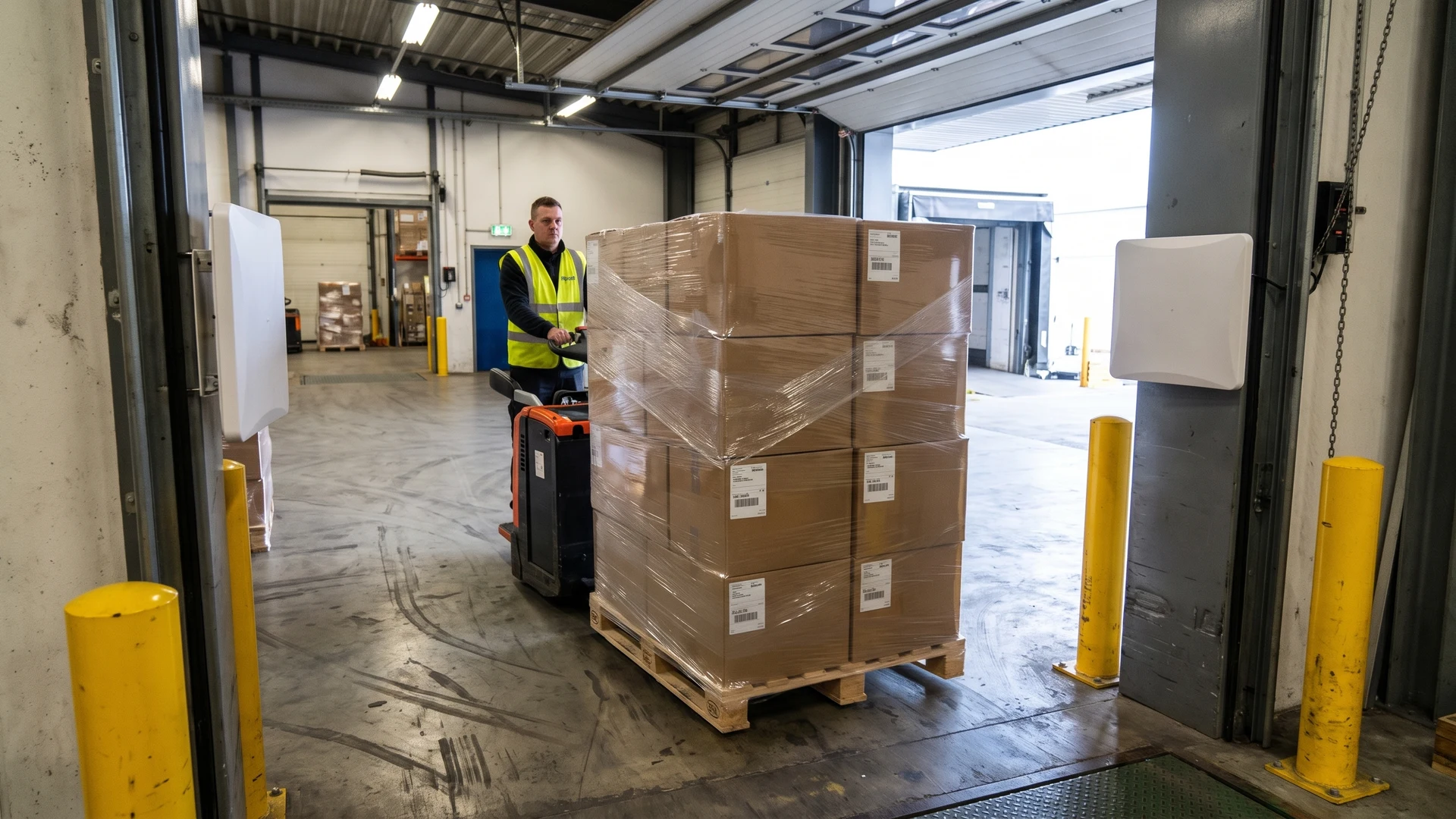
Traditional barcode scanning requires your workers to point a device at every single item, which typically takes several seconds per product and slows down daily operations. An RFID setup identifies hundreds of items per second simultaneously because the readers capture tags through cardboard boxes, shrink wrap, and stacked pallets. Your staff no longer need to unpack or physically handle the goods to register them in the system. This automated data capture can reduce cycle count times by up to 96 percent, turning audits that used to take days into tasks completed in a few hours.
Reducing manual entry errors
Manual paper logbooks and manual keystrokes introduce significant human error into your inventory records, with traditional systems typically hovering around 85 to 90 percent accuracy. Because RFID technology transmits digital identifiers directly to your Warehouse Management System (WMS) without any manual transcription, you remove typing and counting mistakes from the workflow entirely. As inventory moves through key transition points like inbound receiving docks or storage racks, portal readers log the changes automatically to prevent double counting or missed scans. This automated logging elevates stock accuracy rates to over 95 percent, drastically shrinking the need for expensive recount audits.
Achieving real time stock visibility
Real-time stock visibility replaces outdated periodic estimates with continuous monitoring of your physical inventory as it moves through the warehouse. The scanned data flows instantly into your Enterprise Resource Planning (ERP) software, which ensures that your sales and fulfillment teams always look at accurate stock levels before committing to customer orders. Knowing exact quantities prevents your facility from tying up capital in excess inventory and eliminates the risk of unexpected stockouts on high-demand goods. This continuous visibility allows managers to optimize warehouse labor and coordinate automated replenishment workflows efficiently.
Tracking work in progress on the manufacturing floor
Attaching tags to products or transport bins allows your team to maintain constant visibility of work in progress as items move across the manufacturing floor. The tags travel alongside the materials through various assembly, testing, and packaging stages, automatically triggering readers positioned at each critical workstation. You can adapt the placement of these reading zones to fit your unique physical space and production flow rather than forcing your operations to match a rigid technological standard. This continuous tracking creates a detailed digital map of your entire production process as it happens.
With this live data flowing into your central software, you can immediately locate bottlenecks where materials pile up or slow down between stations. Your production managers can see exactly how long specific batches take to complete, which helps them adjust staffing levels or equipment usage to keep operations running smoothly. Having real-time visibility into every stage of manufacturing ensures that your team always knows the exact status of customer orders without having to walk the floor to search for missing components. This practical approach gives you the necessary insight to refine your daily manufacturing workflows.
Structuring your initial pilot project
Launching a small-scale pilot project gives your team a low-risk environment to prove the technology works before committing to a full facility deployment. You should focus this initial test on your most frustrating current pain points rather than trying to copy standard setups from other companies. Taking this measured approach ensures that you gather relevant data to justify further investment.
- Identify a specific problem area: Start by choosing a single process that currently suffers from high error rates, such as your inbound receiving dock or a specific high-value storage zone. Testing the technology in one contained area allows you to measure improvements clearly without disrupting the rest of your warehouse. This targeted focus keeps the initial project manageable and yields immediate, observable results.
- Select appropriate hardware: Choose tags and readers that match the specific physical materials and environmental conditions of your chosen test zone. You can evaluate how well the equipment performs on your actual products before purchasing hardware for the entire facility. Testing different tag types early on prevents costly mistakes during the final rollout phase.
- Test the software integration: Connect your pilot hardware to a localized version of your inventory management software to verify that the data flows correctly. This step ensures that the automated data capture translates into readable, accurate information for your staff on the floor. Confirming this digital connection guarantees that the physical reads actually improve your operational records.
- Measure against baseline metrics: Compare the speed and accuracy of the automated tracking against the manual methods you previously used in that specific area. Gathering this concrete data builds confidence in the system and provides a clear business case for expanding the technology. Documenting these early wins helps secure buy-in from the warehouse staff who will use the system daily.
Moving from a successful pilot to a full rollout
Once your pilot project proves viable, you need a carefully planned sequence for scaling the hardware placement and software integration across the entire plant. Expanding the system methodically minimizes disruption to your daily workflows and ensures that your warehouse team remains confident in the new technology. This structured approach transforms a localized success into a permanent operational upgrade.
- Map out the facility expansion: Create a detailed floor plan that identifies every new reading zone, portal, and workstation required for facility-wide coverage. You must account for physical layout changes, power availability, and network connectivity at each proposed installation point to avoid unexpected delays. Planning these infrastructural needs in advance prevents costly rework during the actual installation process.
- Scale the software architecture: Upgrade your software integration from the isolated pilot environment to your live enterprise systems to handle the massive increase in incoming data. Your IT team needs to ensure the central database can process thousands of simultaneous reads without lagging or crashing during peak operational hours. A robust software foundation guarantees that the live data remains accessible and accurate at all times.
- Establish standard operating procedures: Write clear, step-by-step guidelines that detail how your staff should interact with the new tracking hardware during their daily tasks. Providing these concrete rules ensures that everyone uses the system consistently, which maintains the integrity of your inventory data. Consistent physical handling of the tags directly translates to reliable digital records.
- Schedule phased hardware installation: Install the new readers and antennas in operational zones one by one rather than attempting a complete facility overhaul over a single weekend. This phased approach allows your production lines to continue running while you gradually bring the automated tracking online. Managing the physical rollout in stages keeps your daily shipping schedules completely intact.
- Conduct comprehensive team training: Train your workforce on how to read the new system dashboards and how to respond to automated alerts. Empowering your staff with the right knowledge ensures a smooth transition and secures the long-term success of your investment. A well-trained team will actively use the new tools to optimize their own daily routines.
Overcoming common environmental and software challenges
Deploying automated tracking sensors often introduces environmental and technical obstacles that can disrupt data accuracy if left unaddressed. By understanding these realistic hurdles early in the project, your team can plan effective mitigations and keep the implementation on track. Addressing these challenges openly builds trust and keeps your project timelines secure.
Managing metal and liquid interference
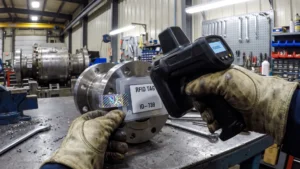
Metal surfaces act like a mirror for radio waves, which can bounce the signal away from the reader or alter the electrical resonance of the tag antenna. Similarly, water and liquid-based solutions absorb electromagnetic waves and convert that energy into heat, leaving the tag without enough power to respond. These environmental factors can lead to missed reads or severely shortened reading ranges if you use standard labels on challenging products.
To solve these issues, you can deploy specialized anti-metal tags that incorporate a physical foam or magnetic shielding layer to lift the antenna away from the conductive surface. For liquid containers, flag tags project the active antenna portion outward away from the packaging to restore a clear signal path. Choosing the right specialized tags ensures that your system captures accurate data regardless of the materials you manufacture or store.
Integrating cleanly with existing enterprise systems
Capturing thousands of automated reads per second is only useful if your central software can process and interpret that massive volume of data correctly. The raw data from the readers must be filtered and translated by a middleware layer before it reaches your enterprise software. If this integration is configured poorly, the system might register duplicate reads or overwhelm your database with unnecessary network traffic.
Your implementation team must establish clear business rules within the software to dictate exactly how and when a physical movement updates the digital inventory. Connecting the hardware cleanly to your existing enterprise tools ensures that the automated data translates into actionable insights rather than digital noise. This careful integration work allows your staff to trust the numbers they see on their operational dashboards.
Preventing reader signal overlap
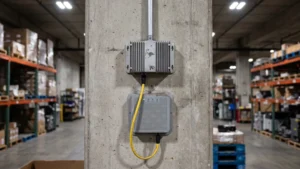
When you install multiple readers close together in a high-density environment, their broadcasting signals can overlap and interfere with one another. This reader collision happens when neighboring devices broadcast on the same frequency simultaneously, which confuses the system and garbles the incoming data. Your team must manage these overlapping coverage fields carefully to maintain high accuracy across the facility.
Technicians can prevent this interference by utilizing Time Division Multiple Access (TDMA) protocols, which schedule neighboring readers to take turns interrogating tags in discrete time slots. You can also adjust the physical power output of each device to shrink the read zones and apply shielding materials to isolate specific areas. Implementing these technical adjustments ensures that every reader captures its intended targets without disrupting adjacent workstations.
Establishing best practices for daily operation
Handing over a stable system to your warehouse team requires establishing clear operational guidelines for daily use. Your staff must understand that while the technology automates data capture, they still play a crucial role in maintaining physical hardware health and tag placement standards. Implementing routine visual inspections of the reader antennas and portal frames helps identify accidental physical damage from forklifts or heavy machinery before it causes system downtime. This proactive maintenance keeps your infrastructure running reliably over the long term.
You should also establish a consistent feedback loop where floor workers can report unrecognized tags or physical dead zones directly to the technical team. Keeping your physical tags standardized and ensuring they are applied to boxes or pallets in the correct orientation guarantees optimal reading performance. As a neutral educational resource, RFID & NFC provides practical guidance on these operational standards, and you can reach out to contact@rfidandnfc.com for general inquiries regarding implementation best practices. Empowering your staff with these clear daily habits ensures you achieve a high return on your operational effort.
Securing long term value from your inventory system
Upgrading to an automated inventory system equips your facility with the exact data needed to eliminate costly stockouts and manual counting errors. By structuring a targeted pilot project and carefully managing environmental challenges, you can deploy a solution that scales smoothly across your entire operation. The technology improves data access, sharpens inventory control, and reduces error margins at every stage of your supply chain. With a solid understanding of how these systems integrate into your physical space, your team is well prepared to evaluate your infrastructure and make the right technical decisions for your future.
Where should I start with an RFID pilot in my warehouse?
Start by mapping your inventory flow and agreeing metrics like read rate and count time. Choose one lane or zone, select suitable tags, and place each Radio-Frequency Identification (RFID) reader at clear handoff points. Integrate with your Warehouse Management System (WMS) and run live trials. Tune reader power and placement before scaling.
How much faster are cycle counts with RFID than with barcodes?
RFID cycle counts are far quicker, often reducing count times by 80 to 96 percent compared with manual barcode scans. RFID readers capture many tags at once without line of sight, so aisles move fast. Mobile passes avoid shutdowns. Labor drops roughly 75 percent while data updates immediately in your systems.
How do we get real-time stock visibility from RFID into our systems?
Connect RFID events to your Warehouse Management System (WMS) using an Application Programming Interface (API) that posts each read as it happens. Map reads to locations and business rules in the WMS. Sync stock states to your Enterprise Resource Planning (ERP). Test end to end before turning on automated actions.
What tags and setup work on metal racks or liquid-filled containers?
Choose on-metal tags that include a spacer or ferrite layer so the antenna still works on steel surfaces. For liquids, use flag tags that lift the antenna away, or choose Low Frequency (LF) tags, which suffer less absorption. Maintain a small stand off, adjust RFID reader power, and test angles.
How do we prevent tag collision and reader interference at scale?
Pick tags and RFID readers that support anti-collision, which sequences many tag replies so each is read cleanly. Coordinate neighboring RFID readers with time slots or frequency hopping so signals do not overlap. Reduce power to shrink zones, space antennas, and shield problem areas. Validate with stress tests.