Why logistics providers move from barcodes to automated tracking
Logistics providers transition away from traditional barcodes because automated tracking captures data from hundreds of items simultaneously without requiring a direct line of sight. Your warehouse staff no longer need to locate, orient, and manually scan every single package during goods receipt or dispatch. Radio Frequency Identification (RFID) systems read multiple tags in a fraction of a second as long as the items pass within the reader’s electromagnetic field. This fundamental change in data collection reduces processing times from hours to minutes while providing real-time visibility across your entire supply chain.
Key assets you can track with automated identification
Automated data capture applies to almost every physical item moving through your facility, provided you match the technology to the specific asset. You can attach tags to individual products, bulk storage units, and even the machinery moving them around the floor. Understanding which assets yield the highest return on investment helps you justify the project scope to your wider team. By focusing on the most critical items first, you establish a strong foundation for broader tracking initiatives across your operations.
Pallet tracking
Pallets represent the core unit of movement in most logistics environments, making them an ideal starting point for automated identification. You can embed durable tags directly into wooden or plastic pallets to monitor their exact location as they move through dock doors and storage zones. This approach prevents misrouting by instantly verifying that the right pallet enters the correct outbound truck. Your team gains a clear digital trail of every bulk movement, which sharpens inventory control and eliminates the need for manual floor audits.
Container management
Shipping containers require robust tracking solutions because they transition frequently between different modes of transport and temporary holding areas. You can track these large assets by applying high-memory tags that store comprehensive manifests and routing instructions directly on the container. Readers positioned at your yard gates capture this information automatically the moment a truck arrives or departs. This immediate data capture prevents bottlenecks at your entry points and ensures your yard management team always knows exactly what inventory sits on the premises.
Vehicle identification
Tracking the vehicles that transport your goods adds a critical layer of visibility to your overall logistics operation. You can install active transmitters on forklifts, automated guided vehicles, and delivery trucks to monitor their movements across your facility in real time. Your system logs exactly when a specific vehicle enters a loading zone, which helps you optimize traffic flow and measure turnaround times accurately. Connecting vehicle data with pallet tracking ensures you always know which piece of equipment moved a specific product and when that movement occurred.
Selecting the right hardware for your warehouse
Selecting the correct hardware begins with understanding the technical difference between active and passive tracking tags. Active tags contain an internal battery that continuously broadcasts a radio frequency signal, which provides a long read range of up to one hundred meters. Passive tags rely entirely on the electromagnetic energy emitted by the reader to wake up their internal microchip and reflect a signal back. You generally use active tags for high-value assets that move across large open yards, while passive tags offer a cost-effective solution for standard indoor inventory.
Once you choose your tag type, you must select readers that operate on the appropriate frequency for your specific facility. Warehouses typically deploy Ultra-High Frequency (UHF) systems because they allow for rapid bulk scanning at ranges up to several meters. You will also need to consider whether fixed portal readers at dock doors or handheld scanners for individual workers best suit your workflow. Aligning the physical orientation of your reader antennas with your tagged assets optimizes the communication distance and ensures a reliable data feed.
Steps to position your readers for maximum coverage
Installing your hardware correctly determines the reliability of your entire tracking system and prevents frustrating dead zones on the warehouse floor. You must map out the natural movement paths of your goods and place readers at strategic choke points where inventory naturally funnels together. This approach guarantees high read rates without forcing your forklift drivers to alter their normal driving routes. Following a clear sequence for physical deployment minimizes disruption to your daily operations and ensures a smooth setup process.
- Identify critical choke points: You should begin by evaluating your dock doors, conveyor belts, and transitions between storage zones where goods predictably pass. Placing readers at these natural bottlenecks ensures you capture every movement without requiring staff to take detours. You establish a reliable baseline of data by focusing your initial installation on these high-traffic areas. This targeted approach prevents you from overspending on unnecessary hardware in low-traffic sectors.
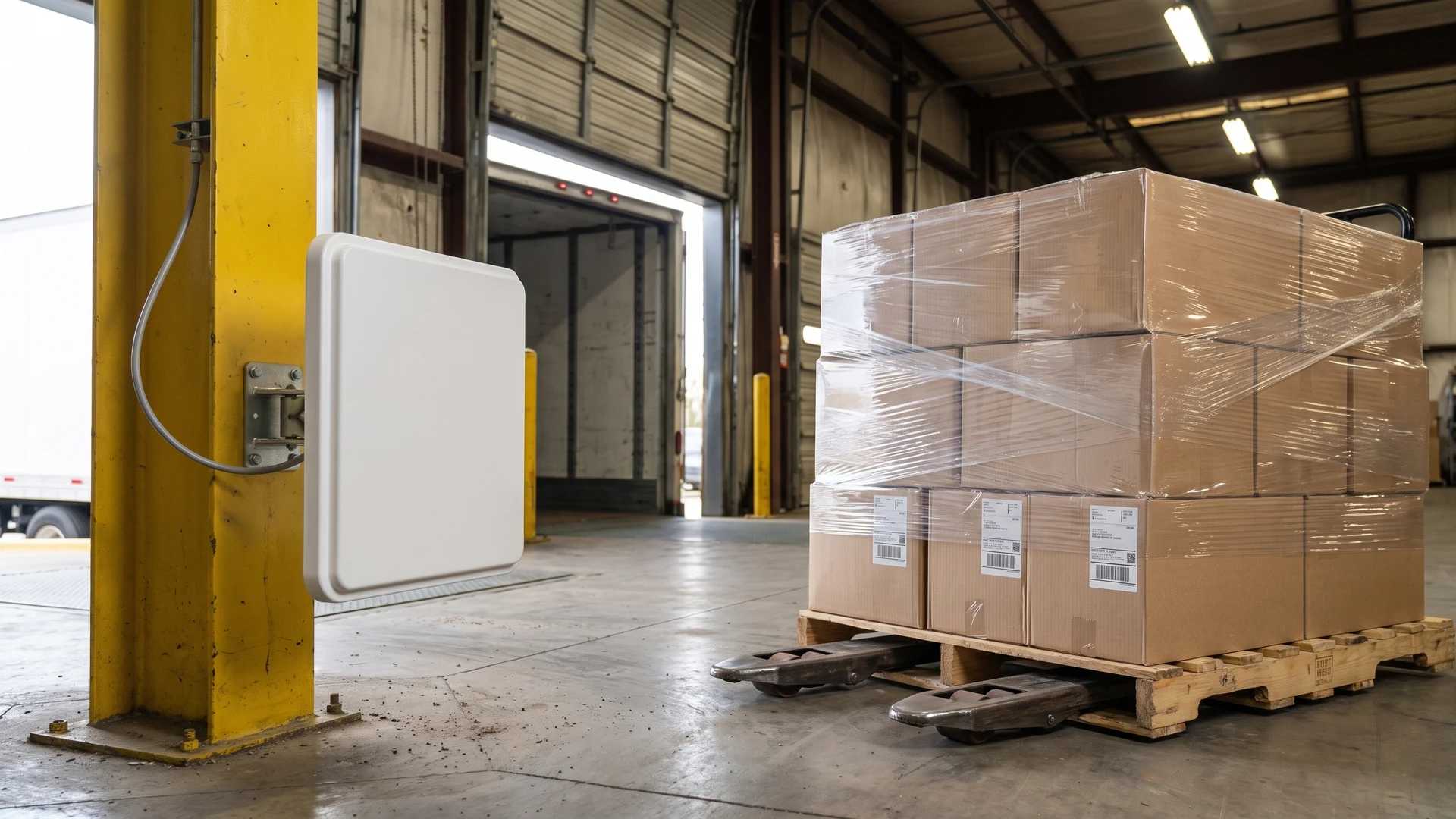
- Mount and angle the antennas: You must install the reader antennas at heights that align perfectly with the tags on your passing pallets. Adjusting the angle of the antennas directs the radio waves precisely where you need them while avoiding stray reads from adjacent zones. You should test different configurations to find the optimal tilt that captures tags consistently at various heights. Proper physical alignment dramatically improves the accuracy of your system and reduces missed scans.
- Calibrate the reading zones: You need to adjust the power output of your readers to create a contained coverage area that does not overlap with nearby stations. Fine-tuning the signal strength prevents a dock door reader from accidentally registering inventory located two bays away. You can run test pallets through the zone at normal operating speeds to verify that the system captures every tag accurately. Completing this calibration ensures your digital records perfectly match the physical reality on your floor.
Managing environmental challenges in your facility
Warehouse environments contain physical obstacles that naturally reflect, absorb, or interfere with radio frequency waves. You must identify these environmental challenges early in the project lifecycle so you can plan effective workarounds and avoid unexpected performance drops. Dense materials and overlapping wireless networks require careful antenna placement and specialized tag designs to maintain signal integrity. By addressing these technical hurdles proactively, you build a resilient tracking architecture that performs reliably in real-world conditions.
Working around metal shelving
Metal surfaces interfere with wireless signals by reflecting the electromagnetic waves and creating multipath interference that distorts the data. When you place a standard tag directly against a steel rack, the conductive surface alters the antenna pattern and prevents the microchip from capturing energy. You can overcome this challenge by deploying specialized mount-on-metal tags that use a physical spacer to create a necessary air gap. These engineered labels turn the metal shelf into a signal booster rather than a blocker, which ensures clean and accurate data transmission.
Handling liquid products
Liquid products present a unique challenge because water and ionic solutions absorb radio frequency energy and severely reduce your effective read range. Direct contact between a standard tag and a liquid-filled container degrades the signal and causes frequent read failures during bulk scanning. You can mitigate this absorption by placing tags on the upper shoulders or necks of bottles where an air gap exists. Selecting the correct operating frequency and using specialized flags designed for aqueous environments helps you maintain consistent visibility over these difficult items.
Connecting new data to your existing software
Capturing tracking information on the warehouse floor only delivers value when that data flows seamlessly into your central business records. You bridge this gap using specialized middleware that filters the raw radio signals, removes duplicate reads, and translates the information into structured business events. This intermediate software sends cleaned data directly to your Warehouse Management System (WMS) via standard programming interfaces. Your WMS then receives the update and automatically executes core logic, such as posting a goods receipt, without requiring any manual employee input.
Extending this visibility beyond your facility requires integrating your automated tracking data with your Transport Management System (TMS). You can achieve this by using webhooks and modern programming interfaces that push real-time location updates the exact moment a shipment crosses a geographic boundary. Edge controllers installed on your local network process this sensor data instantly, which maintains operational continuity even if your external internet connection temporarily drops. This robust architecture demystifies the software integration phase and ensures your supply chain data remains accurate and accessible at all times.
How to implement your tracking solution safely
Transitioning to a new technology platform carries inherent risks, but you can protect your current operations by utilizing a phased rollout strategy. Moving from manual scans to automated data capture requires testing the hardware and software in isolated environments before expanding across the entire facility. This controlled approach allows your team to learn the new system gradually and refine the physical setup without jeopardizing your daily revenue streams. Following a structured deployment roadmap provides the reassurance you need to execute the upgrade confidently.
- Deploy a pilot program: You should begin by selecting a single dock door or a specific product line to test the automated hardware. Running this pilot allows you to evaluate read rates and identify environmental interference without disrupting the rest of the warehouse. Your team can learn how the tags interact with the readers and make necessary adjustments in a low-risk setting. This initial phase proves the technology works for your specific use case before you commit to a full installation.
- Run systems in parallel: You must operate your new tracking system alongside your existing barcode processes during the initial transition period. This dual-tracking approach guarantees that you never lose visibility of your inventory if the automated setup requires unexpected troubleshooting. Your staff can verify that the digital records generated by the new hardware match the trusted results of their manual scans. Once you confirm consistent accuracy over several weeks, you can safely retire the old procedures.
- Train your floor staff: You need to educate your employees on how the new hardware changes their daily responsibilities and movement patterns. While the system automates data capture, your team still needs to understand how to handle damaged tags and respond to software alerts. Providing clear, practical instructions ensures that everyone feels comfortable working alongside the new technology. A well-trained workforce maximizes the efficiency gains of your investment and prevents user errors during the rollout.
Planning your next moves for real time visibility
Initiating your asset tracking project requires evaluating your current operational bottlenecks, choosing the right hardware, and planning a phased integration with your existing software. You can rely on RFID & NFC as a neutral educational resource to help you navigate these technical decisions and define your project scope. If you need further clarification on technical standards or practical guides, you can reach out to contact@rfidandnfc.com for general inquiries. By taking these informed steps today, your team will build a robust tracking architecture that drives long-term efficiency across your operations.
How do I choose between active and passive RFID tags for pallets, containers, and vehicles?
Choose active radio frequency identification tags for vehicles needing long range tracking, and passive radio frequency identification tags for pallets and containers in read zones. Radio frequency identification tags carry identifiers read by radio. Active means battery powered. Passive means reader powered. List your assets, environment, and range, then choose.
Where should I place RFID readers to get reliable reads at dock doors and in aisles?
Use radio frequency identification readers at dock doors to form portals, placing antennas slightly above or beside the lane so you avoid nearby metal. Ultra high frequency covers 860 to 960 megahertz. Angle antennas to face pallet tags and tune power to prevent cross reads. Validate coverage with walk-through tests.
What needs to change in my software when I move from barcodes to RFID?
Add radio frequency identification middleware that filters tag reads and turns them into events, then feed those into your Warehouse Management System. A Warehouse Management System runs inventory updates and tasks. Connect through an Application Programming Interface for real time posts. Map events, test de-duplication, and pilot one flow.
How do I tag metal items and liquid products so the RFID reader still picks them up?
Radio frequency identification tags on metal need mount-on-metal designs or flag tags that create an air gap to prevent detuning. For liquids, you place label on a neck or shoulder and use on-liquid spacers. Ultra high frequency struggles with water, while high frequency penetrates better. Test reader power and angles.
How do edge controllers keep real-time tracking running during outages?
An edge controller is a local device that processes radio frequency identification reader data, makes instant decisions, and buffers events if the network link drops. It filters duplicates and timestamps movements. It can trigger gates or lights immediately. When connectivity returns, it forwards the queue to your enterprise system intact.