How RFID improves daily library and archive operations
Implementing a Radio Frequency Identification (RFID) system transforms how your team manages the daily flow of physical materials through your facility. Rather than scanning each book individually with a traditional barcode reader, your staff can instantly identify entire stacks of materials at once. This bulk reading capability accelerates the checkout process and significantly reduces the repetitive manual labor required at the circulation desk. By automating these routine transactions, you free up your team to focus on patron services and more complex administrative tasks.
Beyond speeding up lending, this automated tracking approach establishes a robust security perimeter around your entire collection. The system integrates inventory management with anti-theft protocols, meaning a single tag handles both identification and electronic article surveillance. When an item is properly checked out, the system automatically disarms the security feature without requiring secondary processing steps. This unified approach gives your project managers a streamlined framework that secures valuable assets while keeping the physical layout of your space welcoming and accessible.
Key RFID hardware for self service and security
To successfully deploy an automated tracking environment, you need to understand the physical equipment that will handle the daily interactions with your collection. Each piece of hardware serves a distinct role in reading tags, updating your database, and securing the premises. By choosing the right combination of touchpoints, you ensure a smooth workflow for both your staff and your patrons. We will look at the three core components that make up a standard deployment.
Self service kiosks
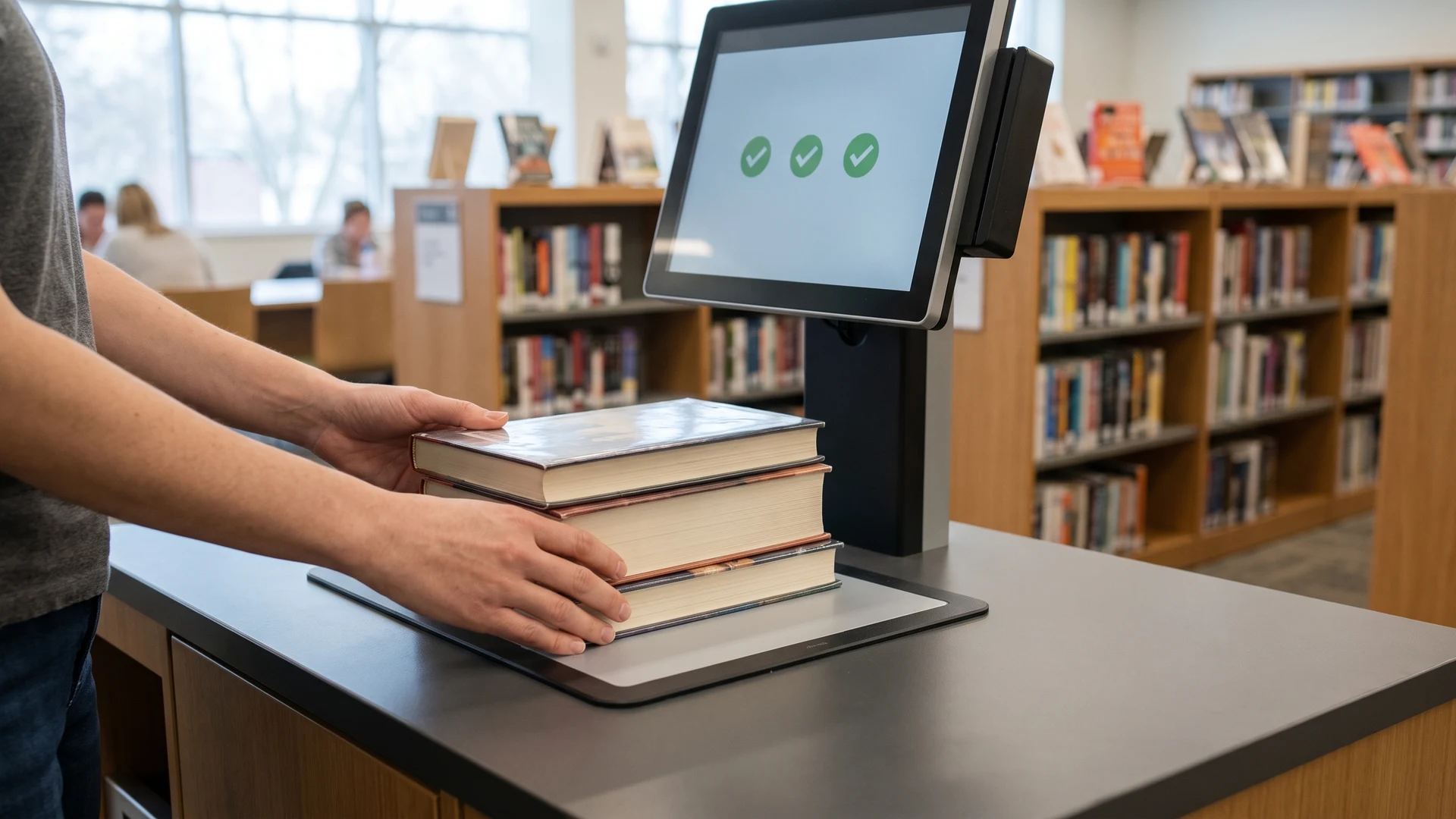
Self service kiosks allow your patrons to check out multiple library items simultaneously without requiring staff assistance. The kiosk contains a built-in reader that emits a local electromagnetic field to energize the passive microchips embedded in your books without needing a direct line of sight. Because multiple tags reply at the exact same time, the reader uses specialized algorithms called anti-collision protocols to rapidly sequence the incoming signals. Once the transaction clears your database, the kiosk software instantly changes the security status flag on the tags to disable the exit alarm.
Gate readers
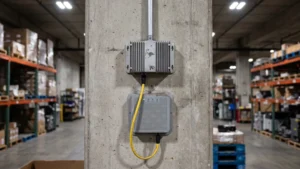
Gate readers stand at your exits to project an electromagnetic zone that detects unborrowed materials leaving the building. The performance of these security gates depends on the antenna design, which dictates the shape and strength of the detection field. Systems using High Frequency (HF) operate at 13.56 Megahertz (MHz) and work perfectly for standard narrow corridors because they prevent false alarms from nearby shelves. If you have wider architectural entryways, you will typically use Ultra-High Frequency (UHF) systems operating between 860 and 960 MHz, though these require precise beam tuning to avoid over-detecting tags.
Mobile inventory scanners
Mobile inventory scanners provide your staff with handheld devices that automatically read item tags on the shelves without requiring physical contact. The scanner sends out a radio signal that activates the tags, prompting them to reflect their stored identification data back to the device. Your team can sweep the reader across entire shelf units to capture hundreds of item identities in seconds, drastically cutting down the time required for stock audits. The internal software immediately compares this scanned data against your library database to flag missing items, misplaced books, or materials sitting out of order.
Placing RFID tags on books and media
Proper application of physical tags ensures reliable scanning performance and prevents unauthorized removal from your materials. For standard books, you should place the tag flat on either the inside front or inside back cover, keeping it roughly one to two inches away from the spine to prevent damage. When tagging sensitive optical media like DVDs, you must use specialized hub tags on the clear center ring to avoid the metallic interference caused by the disc surface. These library-specific tags feature fragile etched aluminum antennas and high-bond adhesives, meaning any attempt to peel the label will permanently break the electrical circuit and destroy the tag.
Connecting RFID hardware to your catalog system
Integrating your new hardware with your existing Integrated Library System (ILS) requires a sequential approach to ensure smooth data synchronization. This process relies on specialized middleware, which acts as a translation layer that converts raw radio signals into structured messages your catalog software understands. You will use standard communication protocols to establish a secure link between the physical scanning devices and your digital records. Following a clear roadmap allows you to link your inventory without overhauling your entire software infrastructure.
- Protocol verification: You must first confirm that both your catalog vendor and your hardware provider support standard communication protocols. Common standards include the Standard Interchange Protocol version 2 (SIP2) or the National Information Standards Organization Circulation Interchange Protocol (NCIP). Securing the necessary driver licenses from your software vendor ensures the systems can talk to each other securely. You will then gather your static Internet Protocol (IP) addresses and enable the communication service within your backend.
- Middleware configuration: Once the network is ready, your team will install the vendor-provided middleware that bridges the gap between the physical readers and the digital database. You need to map the data fields carefully so the incoming scans accurately match the unique item identifiers in your existing system. Establishing a universally readable data model guarantees that your tags store information in a standardized format. This translation layer ensures your primary software remains the single source of truth.
- Inventory conversion: With the communication bridge active, your staff can begin the physical linking process by scanning a traditional barcode to pull up an active bibliographic record. The conversion software then automatically transmits that unique identifier to a writing pad. This pad encodes the exact same number into the new smart tag to link the physical item with your digital database. This step simultaneously activates the security bit for your exit gates without requiring secondary data entry.
- System validation: Before rolling the system out to patrons, you should perform comprehensive testing to verify that physical scans instantly update user profiles and item statuses. Simulating checkouts and returns with sample materials confirms that the middleware correctly filters duplicate reads. This ensures the system routes the data accurately to the correct patron account. This final validation ensures that properly borrowed items successfully deactivate their security flags to prevent false alarms when patrons leave the building.
How do RFID self-check kiosks read a stack of books at once?
Self-check kiosks use Radio Frequency Identification (RFID), where an RFID reader emits radio waves to power passive tags with no battery. Anti-collision protocols let the RFID reader separate replies so every item is captured in one pass. The system marks each tag as checked out to prevent gate alarms.
Where should we place RFID tags on books for reliable reads?
Place the tag on the inside front or back cover, about 1 to 2 inches from the spine, and keep it flat. Avoid metallic foils or inks that can block radio signals, and standardize the location across your collection. Before shelving, test items with your RFID reader to confirm strong reads.
How should we tag CDs and DVDs so they still read correctly?
For optical discs, use a circular hub tag on the clear center so the metal layer does not block radio waves. A full overlay tag with a booster antenna works but costs more. If the disc cannot be tagged, place the tag in the case insert away from the disc.
How do RFID security gates detect items that were not checked out?
Security gates create a read zone with antennas and check each tag’s security state. If the Application Family Identifier (AFI) or Electronic Article Surveillance (EAS) bit shows not checked out, the system alarms. High Frequency (HF) works at doorways, while Ultra High Frequency (UHF) needs tuning in wider passages.
How do we link each RFID tag to our catalog system?
Link each tag by writing the item’s existing barcode to the chip for instant matching. At a staff station, an RFID reader writer pad encodes the tag while middleware, a software layer, translates reads. Standard Interchange Protocol version 2 (SIP2) moves checkouts and returns between the RFID reader and your catalog.