Why high value tools require better asset tracking
Manual tracking methods force your team to spend valuable hours searching for misplaced items instead of completing their actual work. Automated data capture solves this problem by using radio waves to detect tags attached to your physical items, which eliminates human error from your inventory counts. The RFID & NFC platform serves as an objective educational resource to help you understand how this technology and Near Field Communication (NFC) reduce unplanned downtime without pushing you toward proprietary services. You can replace paper logs with digital records that show exactly where your equipment is located at any given moment. This clear visibility improves data access, sharpens inventory control, and reduces error margins across your entire operation.
Identifying the right assets for your RFID system
Choosing which physical assets to tag first requires you to evaluate their financial value and how frequently they move through your facility. High-value items justify the cost of the tags and the reading hardware because they prevent expensive losses. Assets that experience high turnover or require frequent check-ins also maximize your return on investment through automated savings. You can use this practical framework to prioritize your rollout and ensure your initial deployment tackles your most pressing operational bottlenecks.
High value construction tools
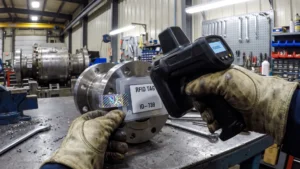
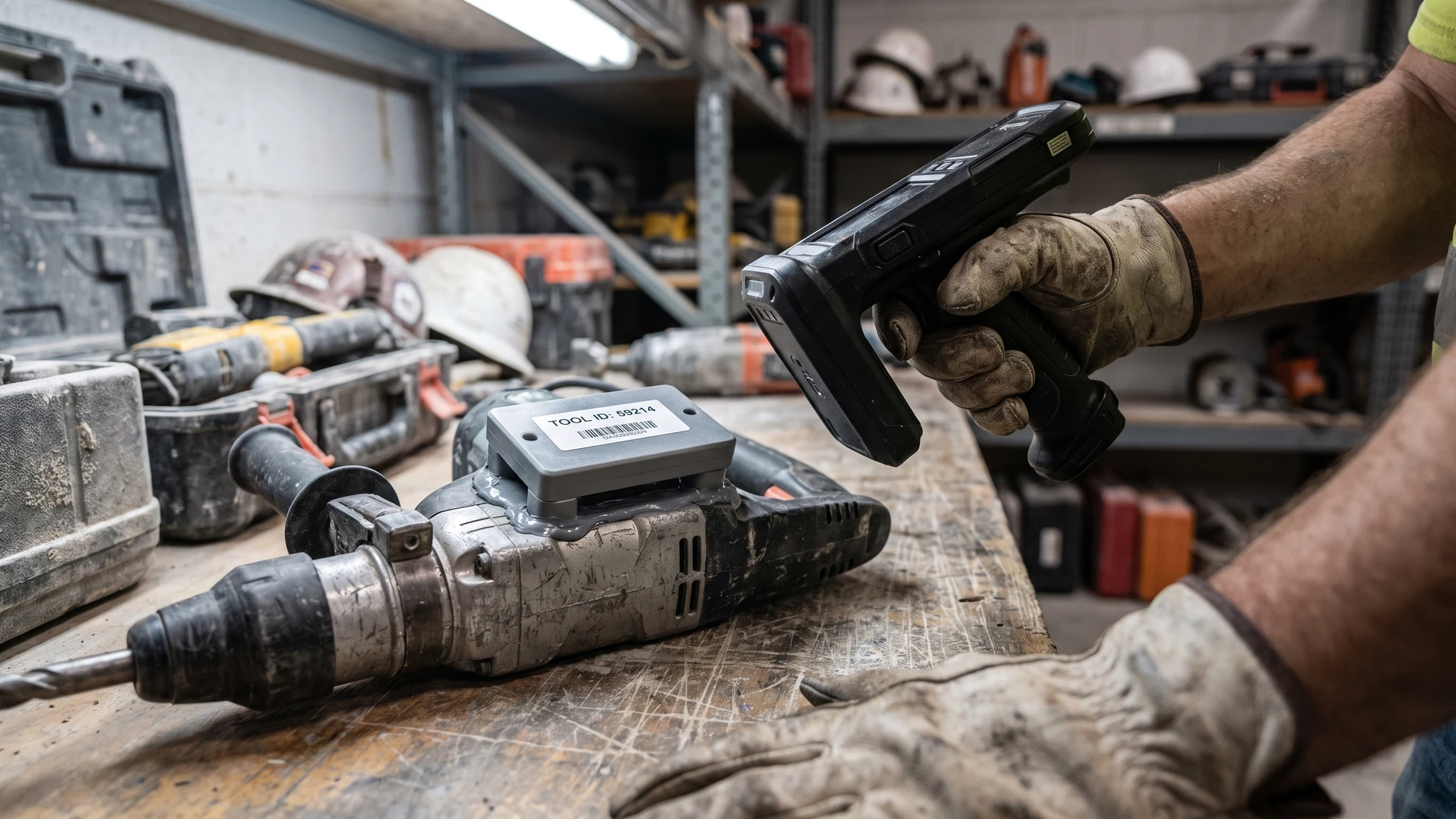
Construction tools represent a major financial investment that often disappears when workers move between different jobsites. An automated tracking system links each physical tool to a digital database, which shows you instantly who checked an item out and where it currently resides. Scanners can read hundreds of tagged tools simultaneously inside transit trucks or storage containers without needing a direct line of sight. This automated check-in process prevents theft at entry points, tracks usage hours accurately, and helps your managers schedule timely maintenance before equipment fails.
Critical medical devices
Hospitals and clinical environments must track their critical medical devices to meet strict safety guidelines and quality management regulations. Global standards allow you to use standardized tags that communicate reliably across different hospital systems and supply chain networks. You can deploy Ultra-High Frequency (UHF) systems, which operate at a high radio band, to scan these devices from a distance without disrupting sensitive clinical equipment like pacemakers. Maintaining this level of traceability ensures you can quickly locate and recover specific medical devices whenever a safety risk or recall arises.
Moving rental equipment
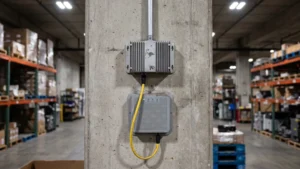
Rental businesses handle a massive volume of equipment that constantly moves in and out of their storage warehouses. Fixed readers placed at warehouse doors scan dozens of tagged items at the same time as they pass through, logging their movements in seconds. This automated chokepoint eliminates the need for your workers to individually hand-scan every item with a barcode reader. Capturing this real-time utilization data gives you precise records on how often specific assets move, which optimizes your inventory levels and speeds up turnaround times between rentals.
How to select tags for harsh physical environments
Standard tracking tags work perfectly on cardboard and plastic, but industrial environments require specialized hardware to survive harsh physical conditions. Choosing the wrong tag for heavy machinery or outdoor equipment leads to broken antennas and total data failure. You must evaluate the specific physical constraints of your facility to ensure your tags remain readable and structurally intact over their intended lifespan. Understanding how different materials affect radio signals empowers you to select the precise tag specifications that match your operational reality.
Accounting for metal surfaces
Standard antennas are tuned to work in free air, which means placing them directly against metal destroys their communication range. Metal surfaces bounce radio waves away or absorb the energy, which starves the passive tag of the electricity it needs to wake up and respond. You can overcome this interference by selecting specialized tags that feature a built-in plastic spacer or a non-conductive backplane. These insulating layers keep the antenna lifted away from the conductive metal, which preserves the signal and ensures your equipment remains visible to your system.
Surviving extreme temperatures and chemicals
Industrial manufacturing and commercial cleaning processes expose equipment to extreme heat, harsh solvents, and corrosive fluids. You must use tags built from high-performance engineering plastics, such as Polyetheretherketone (PEEK), to withstand chemical washdowns and heavy abrasion. For environments involving direct flames or temperatures exceeding 400 degrees Celsius, ceramic tags offer total immunity to moisture and superior thermal stability. Manufacturers also seal the internal microchips inside a hardened epoxy shell, which physically blocks oils and acids from penetrating the tag and destroying the electronics.
Protecting against physical impact
Heavy machinery and outdoor assets constantly face severe vibrations, direct impacts, and rough handling during normal daily operations. Ruggedized tags survive these conditions by sealing the delicate silicon microchip inside thick outer casings made of rigid plastics or heavy-duty metal. These tags often include internal silicone cushions to absorb kinetic energy, which prevents the internal components from cracking under high shock. Instead of relying on weak adhesive backing, you can secure these heavy-duty tags using steel brackets, industrial welds, or screw holes to keep them locked onto your equipment.
Evaluating reader options for your tracking environment
Evaluating your hardware options begins by matching different reader configurations to the physical layout of your workspace. Fixed portals act as automated checkpoints at warehouse dock doors, capturing data instantly as a forklift drives a loaded pallet through the entryway. This hands-free approach works best at natural chokepoints where equipment reliably passes from one specific zone into another. If your layout features narrow aisles or highly reflective metal shelving, you will need directional antennas to control the signal and prevent the reader from picking up items in adjacent rooms.
While fixed portals automate heavy traffic zones, handheld readers offer your team the flexibility to track items down across large or unstructured storage areas. These mobile devices typically read tags from four to twenty feet away, depending on their radio output power and the size of the tag. When your staff use handheld scanners, they must consider how liquids and dense inventory stacks might absorb the radio waves and shorten the effective reading range. By combining stationary portals at your main exits with mobile readers on the floor, you create a comprehensive tracking environment that perfectly matches your daily operational flow.
Integrating asset data into existing maintenance systems
Capturing accurate data on your warehouse floor only delivers value when that information flows seamlessly into your central software backbone. New hardware deployments often create isolated data silos if you do not plan your software integration carefully from the very beginning. You can connect your tag readers to your current Enterprise Asset Management (EAM) or maintenance software using a straightforward, logical sequence. Following these concrete integration steps ensures your new tracking hardware enhances your existing workflows rather than forcing your operations team to learn an entirely new software platform.
- Establish a middleware connection: Raw radio signals generate a massive volume of duplicate data points every second a tag remains near a reader. You need to deploy middleware software to filter out these duplicate reads before they ever reach your central database. This filtering layer translates the physical scans into clean, actionable events, such as a single check-in or check-out record. Processing the data locally prevents your main system from crashing under the weight of unnecessary tracking noise.
- Map data fields to your central system: Your existing maintenance software already uses specific fields to track equipment status, location, and service history. You must align the output from your new tracking middleware directly with the corresponding fields in your Enterprise Resource Planning (ERP) platform. This direct mapping ensures that a scanned tool automatically updates its status to active or requires inspection without any manual data entry. Creating these clear data pathways keeps your inventory records perfectly synchronized across your entire organization.
- Automate your maintenance triggers: The true power of an integrated system lies in its ability to trigger workflows automatically based on physical movements. You can configure your software to issue a maintenance ticket the moment a piece of heavy equipment returns to the storage yard. This automated scheduling replaces paper-based repair requests, which frequently get lost or delayed during busy shifts. Connecting physical scans to digital actions allows your maintenance team to service critical assets proactively before they break down on the job.
Planning your initial equipment tracking rollout
Launching an automated tracking system succeeds most frequently when you begin with a measured, highly targeted pilot program. You should select a single facility or one specific category of high-value tools to test the tags and readers in your actual physical environment. This controlled approach gives your team the opportunity to validate the technology and adjust reader placements without disrupting your broader operations. If you require further objective guidance for general inquiries during your evaluation, you can reach out to contact@rfidandnfc.com. Once your pilot proves the system integrates smoothly, you can confidently scale the rollout across your remaining locations.
How do you choose between passive and active RFID for tools and rental equipment?
Choose passive Radio Frequency Identification (RFID) tags for high-volume tools moving through defined checkpoints, where fixed RFID readers capture many items at once. Pick active tags with internal batteries when you need longer range or room presence. Map your read zones first. Align the choice with asset value and integration cost.
How do you tag metal tools that face heat, oil, and impact?
Use on-metal tags that include a spacer to prevent signal loss on steel. Pick rugged housings such as Polyetheretherketone (PEEK), Polyphenylene Sulfide (PPS), or ceramic, with epoxy sealing to resist heat, oil, and impact. Specify an Ingress Protection rating like IP67 or IP68. Fasten with screws or rivets.
What read range can you expect from a handheld RFID reader?
Expect about 4 to 20 feet with passive Ultra High Frequency (UHF) systems, depending on setup. Range rises with reader power, antenna gain, and larger tags, and it falls with poor tag orientation. Metal and liquids reduce distance. Test in your actual aisles with your chosen tags.
How should you place fixed RFID readers at doors and corridors to avoid stray reads?
Place fixed RFID readers at natural chokepoints such as doors, gates, and tool cribs. Angle antennas inward and set power just high enough to cover the threshold, adding shielding where rooms sit close together. Space readers to avoid overlapping fields. In high-speed areas, use a slight downward tilt.
What standards should you follow when tracking medical devices with RFID?
Use GS1 identifiers, a global system for unique device identification across organizations. Follow ISO/IEC 18000, an international RFID air interface standard for tag and reader communication. Comply with United States Food and Drug Administration rule 21 CFR Part 821 for device tracking. Align with ISO 13485 and Electromagnetic Compatibility guidelines.