Understanding NFC in modern payments and loyalty programs
Near Field Communication (NFC) provides a standard wireless method for exchanging data over very short distances, typically within four centimeters. This technology allows your point of sale terminals to communicate instantly with smartphones and smart cards, creating a unified process for handling both payments and customer retention programs. When you implement these contactless systems, you eliminate the need for separate hardware to manage credit cards, loyalty points, and digital tickets. A consolidated approach simplifies your checkout infrastructure, reduces maintenance requirements, and accelerates the daily transactions your staff handle.
How the technology processes a contactless payment
Processing a contactless transaction involves a precise sequence of wireless communication and cryptographic security that happens in a fraction of a second. Your understanding of this underlying technical sequence ensures you can evaluate the security and reliability of the hardware you choose to deploy. When you grasp how the data moves between devices, you can better explain the safety of the system to skeptical stakeholders. This foundational knowledge empowers your project managers to ask vendors the right questions during the procurement process.
Initiating the connection
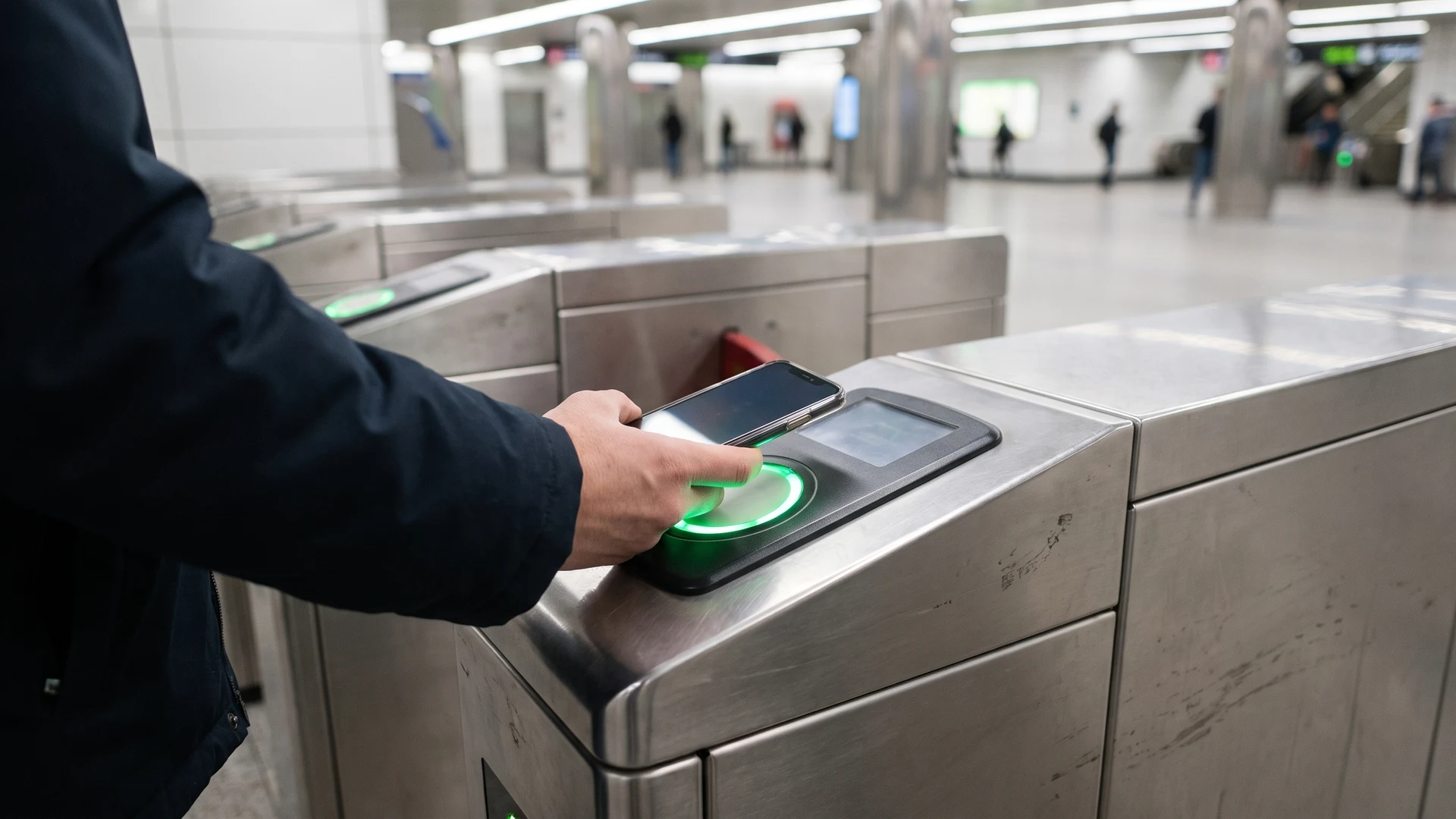
The physical interaction begins when your point of sale terminal continuously emits a low-power radio frequency field operating at 13.56 megahertz (MHz). When a customer brings their unlocked smartphone or contactless card within four centimeters of the terminal, the internal antenna in their device enters this magnetic field and powers up the secure chip. The smartphone operates in card emulation mode, which allows it to present a digital container of payment information to the terminal requesting the data. Before any information changes hands, the user typically authenticates the session on their device using a biometric check or a passcode.
Exchanging secure tokens
Once the connection is established, the device does not transmit the actual primary account number of the customer. Instead, the secure element inside the smartphone generates a dynamic cryptogram, which serves as a single-use digital signature tied specifically to the transaction amount and the current timestamp. The device sends a virtual token along with this one-time cryptographic code back across the radio wave to your terminal. Your terminal packages this secure payload and routes it through your payment network to the issuing bank, which decrypts the token and verifies the signature before sending an approval code back to complete the purchase.
Defining the roles within the payment ecosystem
A successful transaction relies on a coordinated network of financial institutions and technical bridges that securely route data from your checkout counter to the customer’s account. Defining these external dependencies helps your project managers understand exactly what your internal team must handle versus what your partners manage. Knowing who holds the liability at each stage allows you to design better internal security policies for your physical locations. You can streamline your deployment timeline when you clearly map out these external integrations before installing any hardware.
Banks and card issuers
The financial side of the ecosystem is anchored by the acquiring banks that represent your business and the card issuers that represent your consumers. The card issuer provides the physical debit card or digital wallet credential to the consumer, authorizes the payment based on available funds, and assumes the credit risk for the transaction. On the other side, your acquiring bank establishes your merchant account, receives the approved funds, and manages the liability for any potential fraud at your location. This separation of responsibilities ensures that risk is distributed appropriately across the financial institutions rather than falling entirely on your internal operations.
Payment service providers
Payment service providers act as the critical technical bridge that encrypts, translates, and routes the transaction data between your physical checkout and the global card networks. These providers capture the sensitive information at your terminal and convert your local data formats into the standardized protocols required by networks like Visa or Mastercard. They route the requests through financial switches to the correct issuing bank and then relay the real-time approval or decline response back to your interface. At the end of the day, these providers also batch your approved transactions for clearing and coordinate the movement of funds into your acquiring bank account.
Merchants and physical locations
As the merchant, your primary role involves maintaining the integrated technical infrastructure required to capture and transmit the payment data securely. You are responsible for deploying compatible hardware, maintaining stable network connectivity for instant authorizations, and adhering to standard security frameworks that protect the environment. Your internal systems must seamlessly reconcile the contactless inputs with your inventory tracking, financial reporting, and digital receipt generation. By managing the physical touchpoint effectively, you ensure a smooth interaction for the customer while the external ecosystem handles the complex financial routing.
Connecting payments to customer loyalty and ticketing
The same hardware infrastructure that processes your financial transactions can simultaneously manage digital loyalty passes and smart ticketing systems. Technologies like Apple Value Added Services (VAS) and Google Smart Tap allow your terminals to broadcast custom polling signals that ask the smartphone for specific non-payment data before a full tap occurs. The mobile device recognizes your unique merchant signature, automatically selects the matching loyalty pass from the digital wallet, and transmits an encrypted member identifier. This dual capability allows your system to read payment credentials and loyalty data in a single communication pass, automatically applying discounts or logging attendance at checkout.
Implementing this consolidated approach is especially valuable for public transit systems and large-scale event venues that require rapid access control. Attendees or passengers can tap a smartphone, a smart card, or an embedded wristband against a gate validator to exchange encrypted ticket data in less than a second. The terminal instantly verifies the token against your backend records, grants physical access, and records the entry without exposing raw personal identity numbers. Relying on this unified technology speeds up your processing times, eliminates the need for paper tickets, and gives you real-time visibility into customer movement across your facilities.
Steps to implement hardware and software on site
Deploying a contactless infrastructure requires a structured approach to ensure your new readers communicate effectively with your existing software backbone. You can follow these concrete steps to guide your implementation from the initial hardware placement through to the final system integration. Taking the time to execute each phase methodically prevents costly downtime and reduces friction for your frontline employees. A well-planned rollout guarantees that your technology investment immediately begins delivering value across your physical locations.
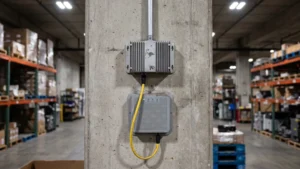
- Assess your physical environment: Begin by mapping out the exact locations where your customers will interact with the readers, paying close attention to power sources and network access. You must ensure that the terminals sit at an ergonomic height for easy tapping and remain free from major metallic obstructions that could interfere with the radio frequency field. Evaluating your physical constraints early prevents costly rewiring efforts and guarantees a smooth physical installation. This initial assessment also helps you determine whether you need traditional countertop units or mobile devices for roaming staff.
- Deploy and configure the readers: Install the physical hardware at your chosen locations and connect the devices to your secure internal network. You need to configure each terminal to communicate with your specific payment gateway, ensuring the encryption protocols are active before any live data passes through the system. Your technical team should apply the latest firmware updates provided by the manufacturer to protect the devices against known security vulnerabilities. Properly configured hardware forms the reliable foundation your software integration requires to function without interruption.
- Integrate with your software systems: Connect the data feeds from your new terminals directly into your existing inventory management and customer relationship software. You will need to map the incoming transaction codes to your internal reporting categories so that every tap automatically updates your stock levels and financial ledgers. Establishing this seamless data flow eliminates the need for manual reconciliation at the end of the day and reduces the risk of human error. A tight software integration ensures that your operational data remains accurate and accessible in real time.
- Test the end-to-end workflow: Conduct comprehensive trials using a variety of smartphones and smart cards to verify that both payments and loyalty passes process correctly. You should simulate network outages and edge cases to confirm that your system handles errors gracefully without locking up the terminal or losing transaction data. This testing phase allows you to train your staff on how to guide customers through the interaction and how to troubleshoot common issues. Thorough preparation builds your team’s confidence and guarantees a seamless experience for your customers on launch day.
Planning your next steps for a connected checkout
Upgrading your checkout infrastructure to support unified contactless interactions streamlines your operations and provides a faster, more secure experience for your customers. Before you purchase new hardware, take the time to map out your current transaction workflows and identify the specific points where manual data entry slows down your staff. Understanding your unique physical constraints and software requirements ensures you select a solution that integrates cleanly with the systems you already rely on. As a neutral educational resource, RFID & NFC provides practical guidance on these integrations, and you can reach out to contact@rfidandnfc.com for general inquiries about the implementation process.
Can you combine a contactless payment and loyalty identification in a single tap at checkout?
Yes. With Apple Value Added Services and Google Smart Tap, your reader can pull a loyalty ID while it processes the payment. You need a Near Field Communication reader supporting these protocols, wallet passes linked to a merchant ID, and point of sale software sending the ID to the loyalty system.
What should you implement on site to accept NFC tap-to-pay with minimal friction?
Deploy a Near Field Communication reader certified for the contactless payment standard, and give it reliable network access. Use a payment gateway with end to end encryption to protect data. Integrate your point of sale so taps post to orders automatically, and uphold Payment Card Industry Data Security Standard compliance.
How is a mobile tap-to-pay secured, and what card data reaches your systems?
Your customer authenticates on the device, then the wallet sends a network token instead of the actual card number. A one time cryptogram, which is a unique digital signature for that purchase, proves it is legitimate. Your systems receive the token and authorization result, not the Primary Account Number (PAN).
Who handles what in a contactless transaction from your terminal to the cardholder’s bank?
Your terminal sends payment data to a Payment Service Provider, a platform that formats and routes requests. It forwards this to the acquiring bank, which manages the merchant account. The card network passes it to the issuing bank, then the decision returns to your point of sale.
How does NFC-based ticketing differ between open-loop and closed-loop, and which model fits your operation?
Near Field Communication ticketing has two models. Closed loop uses transit or event cards or wallet passes tied to a local account. Open loop accepts a contactless bank card or phone and settles fares on back end systems. Choose closed loop for control, open loop for simplicity and visitor access.