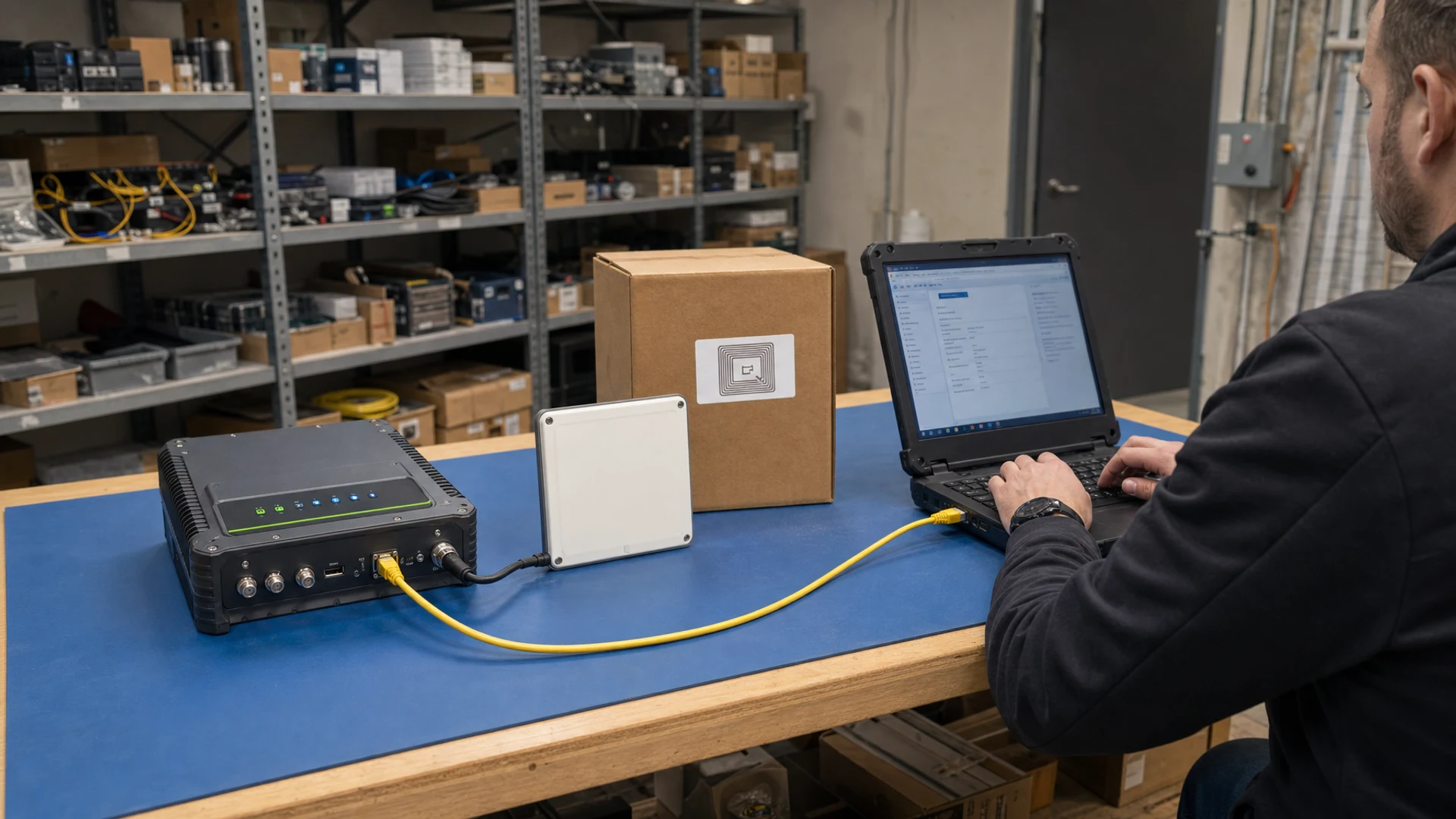
Understanding firmware configuration for RFID readers
Firmware configuration acts as the bridge between your physical hardware and the unique processes that drive your business. Standard readers arrive with factory settings that try to accommodate every possible environment, which means they rarely operate perfectly out of the box for your specific use case. When you adjust the firmware, you instruct the device on exactly how much energy to emit and which signals to ignore. This process transforms a generic piece of equipment into a highly specialized tool that supports your exact tracking goals. Your team can resolve many common performance issues simply by tuning these internal parameters rather than overhauling the entire system.
Common firmware settings you can adjust
Before you consider custom development, your implementation team has several standard configuration levers available to optimize performance. Adjusting these built-in parameters gives you precise control over how your hardware interacts with the tags in your facility. You can manipulate the physical reach of the radio waves, filter out unwanted data, and structure the resulting information so it flows smoothly into your existing software. Mastering these basic settings builds your confidence in managing the system and helps you pinpoint exactly what needs to change.
Adjusting transmit power and read range
Adjusting the transmit power level directly influences how far your reader can project its signal to wake up passive tags. When you increase this power, measured in decibels relative to a milliwatt (dBm), the radio wave travels further and provides more energy to distant tags. However, pushing the power to its legal limit can cause the device to read unintended items through walls or from neighboring zones. You must find a balance where the signal is strong enough to reach your target items but constrained enough to avoid stray reads. Lowering the output power often isolates specific items close to the antenna and creates a more reliable reading zone.
Filtering tags to reduce data noise
Firmware filters reduce data noise by dropping unwanted signals and ignoring weak reflections before they ever reach your central database. You can set a minimum Received Signal Strength Indicator (RSSI) threshold, which tells the hardware to ignore any tag that responds with a weak signal. The system can also apply pre-filters that look for specific Electronic Product Code (EPC) prefixes, ensuring that only items belonging to your inventory are processed. Configuring sliding time windows helps you eliminate duplicate reads by suppressing repeated scans of the same stationary tag over a set period. These filtering techniques ensure your network only processes clean and relevant data.
Formatting data for system integration
Once the reader captures the correct tags, the firmware must format that raw data into a structure your enterprise software can understand. You can adjust the output data format to convert raw binary codes into readable text strings or standard decimal numbers. Settings for prefixes and suffixes allow you to append necessary start characters or carriage returns that your backend system requires to log an entry. You also control the communication protocols, selecting interfaces like Serial or Ethernet and setting the appropriate baud rate for data transfer speed. Properly formatting this information at the edge of your network prevents software conflicts and creates a seamless integration path.
Tuning readers for warehousing and high volume environments
Optimizing your hardware for a high-volume warehouse requires specific adjustments to handle thousands of simultaneous tags without losing data. When multiple items respond at once, their signals overlap and create collisions that prevent the reader from decoding individual serial numbers. You can resolve this by tuning the dynamic Q-parameter, which controls the anti-collision algorithm and forces tags to reply in organized time slots. As dense pallet loads pass through your portals, the firmware dynamically adjusts these available time slots to sort through the population at microsecond speeds. This rapid singulation process ensures that your system captures every item on a fast-moving conveyor belt without becoming overwhelmed.
Managing radio frequency interference is equally important when you have multiple readers operating across adjacent warehouse aisles. Activating Dense Reader Mode (DRM) changes the signal modulation so that nearby devices do not jam each other during mass inventory scans. You can also implement Frequency Hopping Spread Spectrum (FHSS), which forces the equipment to rapidly switch channels and dodge background noise from other wireless tools. Setting strict dwell timers ensures that a tag must be continuously detected for a specific duration before it triggers an event, preventing stray reads at dock doors. These carefully tuned parameters keep your bulk reading operations accurate and prevent cross-talk between different zones.
Adjusting settings for healthcare and strict access control
Environments like hospitals and secure facilities require a completely different approach because precision and privacy matter far more than raw scanning speed. In these strict access control scenarios, you must configure your hardware so it only reads the intended badge or medical asset while ignoring everything else in the vicinity. You achieve this by significantly lowering the transmit power to restrict the physical read zone to a few inches or feet. This narrow field prevents cross-reads that could accidentally unlock a secure door when someone walks down an adjacent hallway. Your team must prioritize signal containment over distance to ensure that sensitive areas remain highly restricted.
Data security and exact formatting also take precedence when integrating your hardware into healthcare management software or security panels. You can configure the firmware to immediately encrypt the read data and format it into specific bit lengths required by legacy access control systems. Adjusting the read rate downwards helps stabilize the connection, as the system only needs to authenticate one person or asset at a time rather than a bulk delivery. This careful pacing prevents the network from logging duplicate entry events for a single staff member standing near a secure doorway. By focusing on precision and controlled data flow, you build a reliable tracking environment that respects both security and patient privacy.
Recognizing when you need a custom vendor build
While standard configuration covers most operational needs, you will eventually encounter thresholds where default firmware cannot achieve your desired results. You might find that your environment requires complex offline caching rules or proprietary encryption methods that are simply not available in the standard menus. When your team spends weeks tweaking basic parameters without resolving a bottleneck, it often signals a fundamental mismatch between the standard software and your specific integration requirements. Recognizing this limit early prevents you from wasting valuable project time on impossible configurations. Identifying these hard constraints gives you concrete criteria to bring to your hardware manufacturer for a deeper discussion.
Requesting a bespoke firmware build from your manufacturer makes sense when your deployment scales to a point where custom edge processing saves significant network bandwidth. A custom build can embed your unique business logic directly onto the reader, allowing the device to make autonomous decisions without polling your central server. Before you take this step, you should exhaust all standard filtering and power adjustments to ensure the investment in custom development is truly necessary. Documenting exactly where the standard settings fail provides the manufacturer with a clear blueprint of what the custom software must accomplish. This informed approach empowers you to make smart sourcing decisions while keeping your implementation timeline on track.
Steps for testing firmware changes safely
Validating new firmware settings requires a controlled methodology to ensure you do not disrupt live operations during an upgrade. Implementing changes directly on your production floor carries unnecessary risk and can cause sudden tracking failures if a parameter is configured incorrectly. You can mitigate this risk by following a structured testing sequence that isolates the new configuration before it rolls out to your entire infrastructure. This careful approach maintains system stability and allows your team to verify each adjustment in a safe environment.
- Establish a baseline environment: Begin by setting up a single test reader in an isolated area that mimics your physical production space as closely as possible. You must record the current performance metrics of this baseline setup so you have a clear standard for comparison. Gathering this initial data ensures you can objectively measure whether your proposed changes actually improve the reading accuracy. You should use the exact same tags and physical materials that your team handles on a daily basis.
- Apply incremental adjustments: Change only one firmware parameter at a time rather than updating power, filtering, and data formats simultaneously. If you alter multiple variables at once, you will not know which specific setting caused a failure or an improvement. Test the device thoroughly after each individual tweak to observe how that single change impacts the overall read rate. This step-by-step methodology keeps your troubleshooting focused and prevents compounding errors from confusing your implementation team.
- Conduct edge case testing: Once the basic configuration appears stable, you need to test how the device handles unusual scenarios or extreme tag density. Introduce intentional interference, block the line of sight, or push a massive volume of items past the antenna to stress the system. Observing how the firmware recovers from these edge cases proves whether the new settings are truly robust enough for a live deployment. This rigorous validation ensures the hardware will not fail when warehouse conditions inevitably fluctuate.
- Schedule a phased rollout: Move the finalized configuration to a small cluster of non-critical readers on the production floor to monitor real-world performance. You should run this pilot phase for several days to catch any intermittent software conflicts that did not appear in the isolated test environment. If the pilot group performs flawlessly, you can confidently push the update across your entire network during a scheduled maintenance window. Taking this measured approach guarantees that your core operations remain protected throughout the upgrade process.
Documenting your custom configuration for future reference
Recording your final firmware settings is a critical step that ensures the long-term stability of your entire tracking integration. When an unexpected failure occurs or a reader requires replacement, your team needs an exact blueprint to restore operations quickly. Relying on memory or informal notes leads to inconsistent setups and frustrating troubleshooting sessions that waste valuable operational time. Creating a formal sequential method for documentation guarantees that anyone on your implementation team can replicate your previous successes.
- Record the hardware and firmware versions: Always document the exact physical model of the reader alongside the specific firmware version number installed on the device. Different software versions often interpret configuration commands differently, meaning a setting that works perfectly today might break after an automatic update. Logging these version numbers provides a stable reference point if you need to downgrade the software to restore lost functionality. Your team will rely on this fundamental information whenever they speak with technical support or plan future expansions.
- Detail the specific parameter values: Create a comprehensive spreadsheet that lists every single setting you adjusted away from the original factory defaults. You must include the exact numerical values for transmit power, sensitivity thresholds, dwell times, and any customized data parsing rules. Providing this level of granularity removes all guesswork when a new technician attempts to configure a replacement device for the production floor. This detailed log serves as the definitive source of truth for your entire physical tracking infrastructure.
- Document the environmental context: Note the exact physical location and the specific operational purpose of each configuration profile you create. A setup optimized for a busy loading dock will perform terribly if applied to a secure server room, so the context is just as important as the numbers. Describe the surrounding materials, the typical tag density, and the expected read range that influenced your tuning decisions. This contextual background helps future project managers understand why certain trade-offs were made during the initial deployment.
- Maintain a backup of the command sets: Export the final configuration file directly from the hardware interface and store it securely within your enterprise knowledge base. If your equipment supports command line interfaces, save the exact text scripts used to push the settings to the device. Having these digital backups allows you to automate the provisioning of new hardware and rapidly recover from catastrophic system resets. Your team can restore an entire zone to full operation in minutes rather than spending hours manually typing in values.
Maintaining firmware stability across your network
Configuration is an ongoing operational capability rather than a task you complete once and forget about. As your facility introduces new packaging materials or rearranges storage racks, the radio frequency environment changes, requiring your team to re-evaluate the system parameters. Regularly auditing your setups ensures that your hardware continues to deliver accurate data even as your physical business evolves. If you have general inquiries about this ongoing management, you can reach out to contact@rfidandnfc.com, as RFID & NFC serves as a neutral educational resource for your implementation journey. Actively managing your firmware ensures you maintain a highly responsive tracking network that grows alongside your organization.
Which firmware settings should I tune first in a warehouse pilot?
Begin with transmit power to shape the RFID reader read zone, then set a Received Signal Strength Indicator (RSSI) threshold to drop weak, out-of-area tags. Then tune the Electronic Product Code (EPC) Gen 2 Q parameter to control slots, and enable duplicate suppression. Test at low power, then scale.
When is a custom firmware build worth requesting?
Ask for a custom build when standard menus cannot meet timing, formatting, or filtering needs. Examples include nonstandard Wiegand output, a fixed-length bit format used by many door controllers, on-reader tag-memory rules, or strict trigger timing. Document memory offsets, latency targets, and payload examples when you brief the vendor.
How do I format reader output so it plugs cleanly into my systems?
Set the output your system expects, for example ASCII text, which is readable, or hexadecimal, which is base-16 numbers. Specify the bit offset, the starting position of the ID, and byte order, the read direction of bytes. For doors, match the Wiegand bit length, a fixed size many controllers expect.
How do I keep multiple RFID readers from interfering with each other?
Enable Frequency Hopping Spread Spectrum (FHSS) so channels change rapidly, then use Dense Reader Mode (DRM) and Listen Before Talk (LBT) if your hardware supports them. Reduce transmit power and raise the Received Signal Strength Indicator (RSSI) threshold to shrink overlap. Stagger reading cycles and separate antennas physically.
What test plan should I use before moving firmware changes into production?
Start with a baseline and change one setting at a time while logging Received Signal Strength Indicator (RSSI), a measure of signal strength, and read success rate. Test dense tags, motion, metal or liquids, and multi-reader coexistence. Run a soak test, meaning a long realistic run, and keep versioned backups.