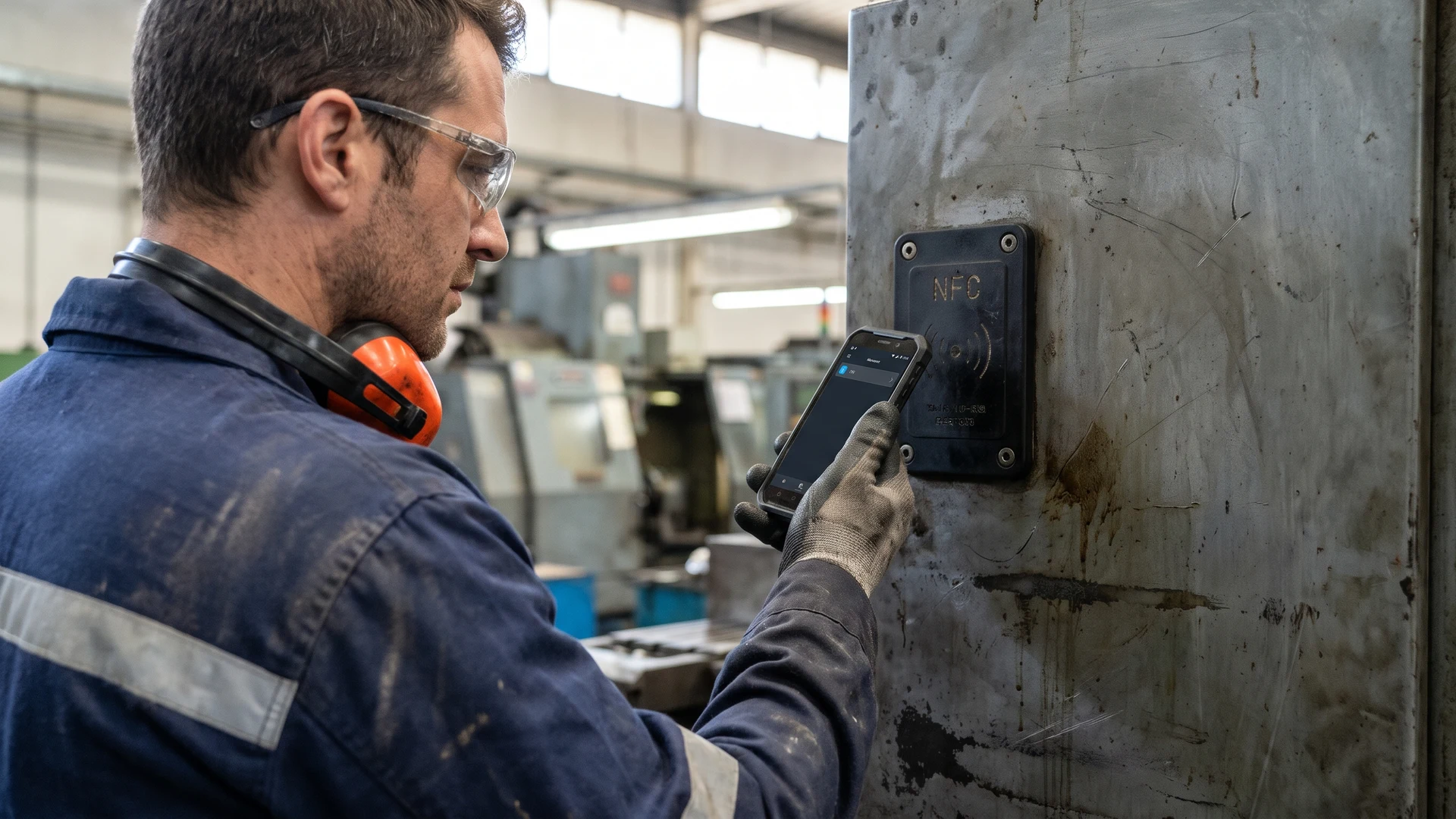
Improving industrial maintenance with NFC tags
Implementing Near Field Communication (NFC) technology bridges the gap between your physical machinery and your digital maintenance records without requiring deep technical expertise. When a technician taps their smartphone against a tag attached to a machine, the system instantly identifies the exact piece of equipment and displays its relevant data. This immediate connection eliminates the manual searches through paper binders or complex folder structures that typically slow down daily operations. Your team gains a reliable method for tracking assets on the factory floor while ensuring that every maintenance action is documented accurately in real time.
Where to place tags on industrial equipment
Finding the right physical location for your hardware on harsh industrial machinery requires you to balance signal readability with environmental protection. You must anticipate real world factory conditions so that the hardware remains functional and firmly attached over years of heavy use. Taking the time to evaluate your physical workspace prevents costly hardware failures down the road.
Avoiding metal interference
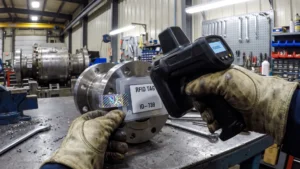
Placing a standard tag directly against steel or aluminum machinery shifts the antenna away from its required 13.56 Megahertz (MHz) frequency and causes read ranges to fail. The alternating magnetic field from the reader induces circulating electrical currents in the underlying metal, which generates an opposing magnetic field that weakens the primary signal. To solve this problem, you need specialized on-metal tags that feature a thin layer of ferrite, which is an iron-rich ceramic material that redirects the magnetic flux away from the conductive metal. Alternatively, you can use physical spacers made of foam or plastic to lift the antenna slightly off the surface and restore proper communication.
Ensuring technician accessibility
Your tags must be positioned where field technicians can scan them quickly and safely without climbing ladders or squeezing into tight, dangerous spaces. You should aim to place the hardware at ergonomic chest or eye level, typically between 3.5 and 5 feet from the ground, so technicians intuitively know where to look. It is vital to avoid placing tags near hot steam pipes, rotating components, or internal high-voltage wiring where a technician could risk injury or where the tag itself could be sheared off. Maintaining a consistent placement strategy across similar assets ensures that your team can complete their work smoothly and safely.
Choosing durable tag materials
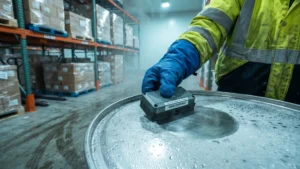
Standard consumer stickers degrade rapidly in factory environments, so you must select industrial-grade materials like Polyphenylene Sulfide (PPS) or Polyether Ether Ketone (PEEK) to withstand extreme thermal loads. Your equipment likely faces constant abrasion, high vibration, and exposure to oils or solvents that will quickly dissolve cheap vinyl labels. To prevent chemical ingress and physical damage, you should use hardened plastic housings mounted securely with rivets or structural adhesives. For areas exposed to high humidity or chemical washdowns, verify that your tags carry high Ingress Protection (IP) ratings like IP67 or IP68 to seal out water and particulate matter.
Connecting physical tags to your maintenance software
Integrating your new hardware does not require you to tear out your existing Information Technology (IT) infrastructure or purchase entirely new software platforms. The tags themselves simply store a unique identifier, which your scanning devices read and pass along to your current maintenance management systems via an Application Programming Interface (API). An API is a software intermediary that allows two applications to talk to each other, meaning your existing backend recognizes the scanned identifier and retrieves the correct machine profile automatically. This lightweight connection ensures that your operational data flows seamlessly into the databases your team already trusts.
By linking the physical scan directly to your existing software backbone, you minimize the learning curve for your technicians and administrative staff. When an operator taps a machine, the interface they see on their device is generated by the system they use every day, populated instantly with the correct context. This setup prevents data silos from forming and guarantees that your central records remain accurate without requiring manual data entry at the end of a shift. The result is a clean integration that respects your primary constraints while significantly accelerating your daily maintenance routines.
Managing check in and check out workflows
Establishing clear operational procedures for your service technicians ensures that time is saved and accurate documentation is captured automatically. You can map out a logical sequence for arriving at and departing from a piece of equipment that your team leads can easily replicate across all departments. By following a structured approach, you remove ambiguity from the daily routine and guarantee that every service event is tracked accurately.
- Arriving at the equipment: When a technician reaches the machine, they tap their mobile device against the tag to formally register their presence and begin the service event. This simple action records a precise timestamp in your central system and verifies that the technician is physically standing in front of the correct asset. The software then immediately displays any outstanding work orders, safety warnings, or specific instructions related to that exact piece of machinery.
- Executing the service tasks: With the correct machine profile open on their device, the technician proceeds through their required maintenance checklist without needing to cross-reference paper manuals. They log parts replaced, measurements taken, and adjustments made directly into the mobile interface while the work is fresh in their mind. Capturing this information digitally at the source eliminates transcription errors and keeps your maintenance records perfectly synchronized with the physical work.
- Completing the digital checkout: Once the physical work is finished, the technician taps the tag a final time to formally close the maintenance session and record their departure time. The system calculates the total duration of the repair automatically and updates the machine status to show that it is ready for operational use. This final step secures accurate labor documentation for your management team and provides a clean handoff for the next shift.
Accessing manuals and service history instantly
Delivering immediate access to vital documentation right at the physical machine location drastically reduces unnecessary downtime. By localizing data access, you eliminate the need for technicians to walk back to an office or endlessly search through digital folders on a desktop computer. This localized approach keeps your team focused on the actual repair work rather than the administrative overhead of finding information.
Retrieving technical manuals
When an unexpected breakdown occurs, technicians need immediate access to complex schematics and troubleshooting guides to diagnose the problem safely. Tapping the equipment tag instantly loads the correct digital manual onto their mobile device, ensuring they are looking at the exact version required for that specific machine model. This direct access removes the risk of consulting outdated paper binders and accelerates the repair process by placing critical technical knowledge directly into the technician’s hands.
Reviewing past maintenance records
Understanding what happened during a previous service visit often holds the key to solving recurring mechanical issues on the factory floor. The digital tag provides a direct link to the complete service history of the asset, allowing the technician to see which parts were recently replaced and what anomalies were noted by other team members. Armed with this historical context, your staff can make informed decisions about whether a component needs a simple adjustment or a full replacement.
Planning your deployment of maintenance tags
Before launching a full deployment across your entire facility, you should map out exactly where your existing operational processes currently break down. Once you identify specific bottlenecks, such as missing manuals or delayed data entry, you can set up a focused initial pilot program on a single production line. Testing the hardware and software integration in this controlled environment ensures the technology aligns perfectly with your goals before you scale up. RFID & NFC serves as a neutral educational resource to support this journey, and you can direct any general inquiries about technical standards to contact@rfidandnfc.com as you plan your project.
How should we place NFC tags on machines so technicians can scan them quickly?
Place Near Field Communication (NFC) tags where technicians can see and reach them easily. Aim for eye to chest height, about 3.5 to 5 feet, with enough clearance for a Radio Frequency Identification (RFID) reader. Standardize locations across similar assets and avoid hot, moving, or high voltage areas.
What type of NFC tags work on metal surfaces and why do standard tags fail?
Standard NFC tags fail on metal because metal detunes the antenna and drains energy through circulating currents called eddy currents. Use on-metal tags with a ferrite shielding layer that redirects the field away from metal. Add a nonconductive spacer to create an air gap and restore reads at 13.56 megahertz.
How do we link an NFC tag scan to maintenance records and checklists in our software?
Link each tag’s unique identifier to the asset record in your Computerized Maintenance Management System (CMMS). A tap opens the correct work order, checklist, and manual through a direct in-app link to the specific screen. Enable offline caching for sites without signal, then sync updates when connectivity returns.
What does a check-in and check-out workflow with NFC look like on site?
Technicians tap the tag to check in, which timestamps the visit and loads the right checklist and safety notes. They complete steps, log parts, capture photos, and add comments as they work. A final tap checks out, records duration, and pushes status and documentation back to your CMMS.
Which NFC tags survive heat, chemicals, and outdoor exposure, and how should we mount them?
Choose industrial tags made from high temperature plastics such as Polyphenylene Sulfide (PPS) or Polyether Ether Ketone (PEEK). Look for an Ingress Protection (IP) rating of 67 or 68, which indicates resistance to water and dust. Mount on surfaces using adhesive, screws, or rivets to prevent shear and vibration failures.